Exact product and SKU
Supplier, catalog name, SKU, lot, stated identity, format and quantity.
Free laboratory inventory, checklist and procurement worksheets
Download a lab supply order form, ready-to-use Excel workbook, peptide inventory CSV, field dictionary, receiving checklist and procurement templates for exact-product and exact-lot research records.
What the template captures
The worksheet keeps product, documentation, fulfillment and approval evidence together instead of scattering it across inboxes and screenshots.
Supplier, catalog name, SKU, lot, stated identity, format and quantity.
COA location, lot match, report date, testing method and named testing source.
Temperature plus any documented light, humidity or handling controls.
Method, cost, delivery window, refund terms and discrepancy contact.
Price-check date, unit price and total landed cost for a fair comparison.
Jurisdiction check, reviewer, approval date and decision notes.
Lab inventory template Excel workbook
The downloadable .xlsx workbook keeps three distinct jobs in separate sheets: the purchasing decision, the receiving check and the ongoing inventory record. Filters, frozen headers and controlled status fields make the workbook immediately usable while leaving laboratory-specific procedures under local control.
Track identity, quantity, format, lot, received label, documentation relationship, attributed storage statement, location, costs, local status, owner and final disposition.
Review scope, identity, SKU, lot, quantity, format, package condition, documents, storage, costs, ownership and close-out without turning a checked box into a quality claim.
Capture the exact seller title, listing date, current price, shipping, landed cost, availability, jurisdiction review and decision notes before a material enters inventory.
Dropdowns distinguish records that are not reviewed, held pending clarification, exceptions or locally released instead of silently filling gaps.
Use the existing CSV downloads when a plain-text import or system-independent record is preferable to an Excel workbook.
The workbook has no dosing, administration, injection, treatment, human-use or veterinary-use fields.
Laboratory reagent inventory template
The 22-field inventory CSV creates one row per exact received lot. It preserves the supplier and SKU, received label identity, quantity and unit, storage location, documentation match, package condition, local status, accountable owner and final disposition.
Capture the received date, exact visible label identity, supplier, SKU, lot, format, quantity and package condition.
Assign one inventory identifier to the exact lot instead of relying on a nickname or a changing supplier page.
Link the supplied document and state whether it exactly matches the received lot; leave unresolved fields unresolved.
Keep the documented storage temperature, assigned location and applicable expiry or retest date with the lot record.
Record received, held pending clarification, released under the laboratory's process, returned or disposed—without turning status into a quality claim.
Track the person or function responsible for the record, last review date, disposition and any unresolved exception.
Worked inventory-row example
This example uses one exact current research-use listing to show what belongs in a pre-order record. It is not a lot-release decision and does not replace the received label or batch-specific documentation.
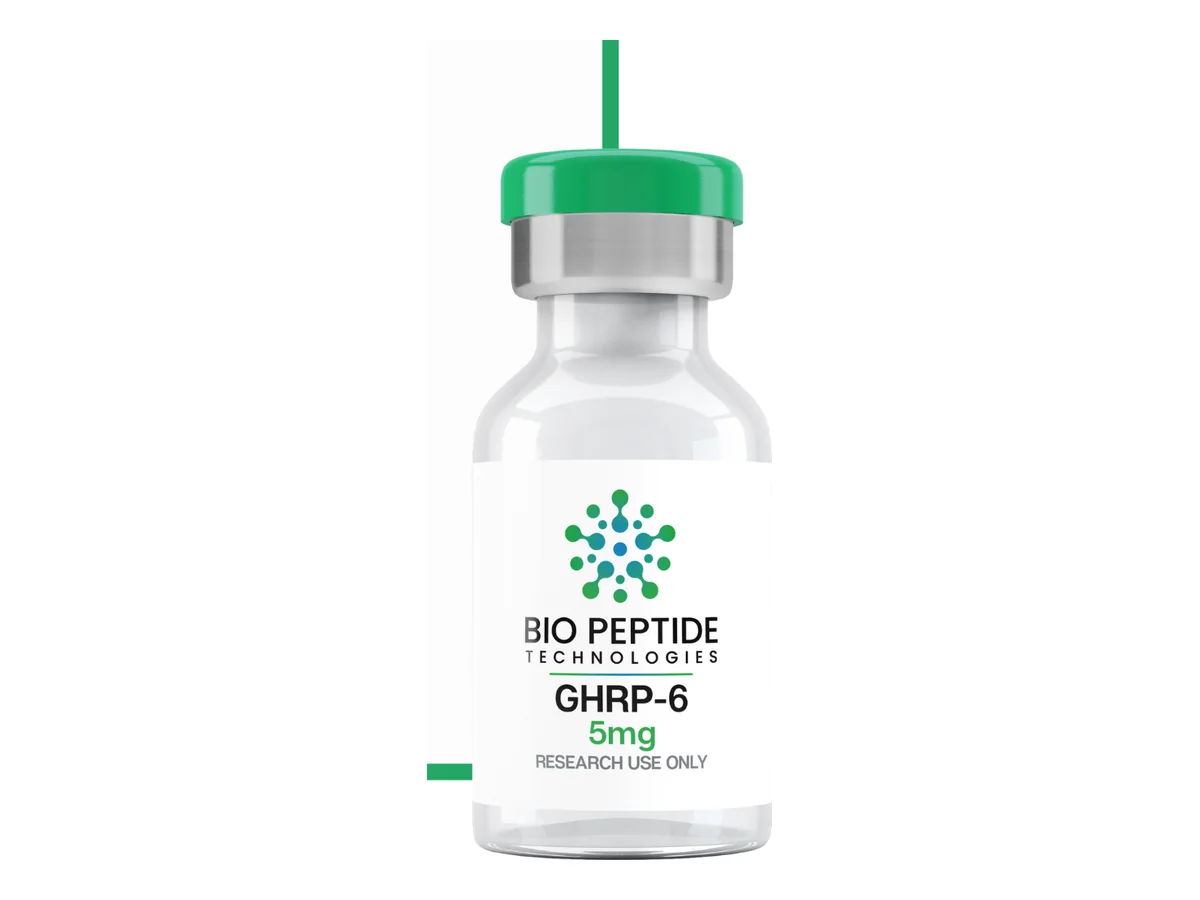
Facts checked 2026-09-22 against the live seller listing. Record the exact lot and match its current batch-specific documentation at receipt; PRX has not independently verified a public lot-specific certificate or the seller's analytical-verification statement.
Save 15% on eligible purchases with affiliate code 15%OFF. Confirm eligibility in the seller cart.
View the exact GHRP-6 5mg listing Review GHRP-6 5mg procurement details
Peptide tracking sheet and inventory spreadsheet
Use the downloadable CSV as a peptide tracking sheet, inventory spreadsheet or lot log for qualified non-clinical research operations. It keeps purchasing, receiving, storage-source and reconciliation fields in one auditable row per exact product and lot.
Record the supplier, seller product title, SKU or handle, stated compound identity, labeled quantity, quantity unit and seller-listed format as separate fields.
Capture the received-label identity, lot or batch identifier, receipt date and package condition instead of assuming the order record describes the delivered material.
Save the document location and mark whether it exactly matches the received lot. An unresolved lot match remains unresolved; a spreadsheet entry is not analytical verification.
Record the storage statement exactly as attributed to the current seller or supplied document, plus the assigned internal storage location and review date.
Keep order quantity, listed unit price, shipping and landed cost distinct so procurement comparisons can be reconstructed later.
Assign a responsible owner, local inventory status, exception notes and final disposition rather than silently normalizing identity, quantity or document mismatches.
Peptide inventory sheet field guide
A useful inventory sheet preserves what was ordered, what arrived, what the current seller page says and what the supplied document says as related but distinct records. The downloadable field dictionary defines all 26 columns in the inventory CSV.
Keep supplier, exact product title, SKU or handle, listed identity, quantity, format, price and the page-capture date together.
Enter the received-label identity, lot or batch identifier, receipt date and package condition without overwriting the order record.
A current listing can help identify drift, but it must not replace the dated page or order evidence used for the original procurement decision.
Save the document location and classify the lot relationship as yes, no or unresolved. A filename or link alone is not a match.
Give identity, quantity, format, lot, document or condition discrepancies an owner, next action and final disposition.
Another qualified team member should be able to find the source evidence, understand each unresolved field and identify the accountable owner.
Request for reagents or supplies
Use one row per requested seller listing. The 45-field CSV keeps the request, current listing, estimated commercial terms, approval, receiving evidence and discrepancy close-out in one reconstructable record.
Record the requester, research group or cost center, buyer jurisdiction, intended non-clinical context and required-by date before selecting a listing.
Capture supplier, seller title, SKU or handle, exact identity, labeled quantity, unit, format and source URL without normalizing similar names.
Keep unit count, current unit price, subtotal, shipping, fees, landed cost, discount eligibility and current availability as separate fields.
Confirm shipment eligibility for the buyer jurisdiction, request needed documents, state the document-to-lot relationship and preserve attributed storage and discrepancy terms.
Record approval status and owner, purchase-order or receipt identifier, received date, lot or batch, label identity, quantity and package condition.
Give each mismatch an owner and status, retain the evidence location and review date, and never silently rewrite the original order request.
Lab supply order form updated 2026-09-22 · 45 fields
Laboratory inventory checklist
Use the checklist as a starting control record, then adapt owners, frequencies, status terms and evidence requirements to your laboratory's approved procedures. A checked box is not evidence of identity, quality or experimental suitability.
Record which non-clinical research-material categories, rooms, freezers and cabinets are covered so omissions can be identified instead of assumed away.
Connect the internal inventory ID to the supplier, exact product name, SKU, lot, received-label identity and format. Do not merge similar names or lots.
Compare the purchasing record, packing record, physical label, quantity, package condition and supplied documentation as separate sources.
Record the document title, location, date or revision and whether it exactly matches the received lot. Leave unresolved relationships unresolved.
Use laboratory-defined statuses and give every mismatch a category, owner, due date, evidence request and final disposition.
At each local review interval, reconcile identity, location, quantity, storage source, document status and downstream record updates.
Define scope, stable identifiers, status vocabulary, accountable owners and review frequency.
Record physical observations, compare exact identifiers, preserve document metadata and route discrepancies without silently correcting the source record.
Update quantity and location by exact lot while retaining transaction dates and responsible ownership.
Record what was checked, evidence consulted, corrections made and unresolved exceptions. Do not treat a current supplier page as a historical receipt record.
Preserve return, disposal or other laboratory-authorized disposition, the decision owner, date and affected downstream records.
CSV preview
Open the file in Excel, Google Sheets, Numbers or a laboratory procurement system that accepts CSV.
| Supplier | Product / SKU | Lot / COA | Method | Storage | Landed cost | Approval |
|---|---|---|---|---|---|---|
| Supplier name | Exact catalog identity | Current lot match | Documented method | Recorded conditions | Comparable total | Reviewer + date |
Suggested workflow
Do not merge different quantities, formats or lots into a single record. Carry the approved procurement identifier into the receiving and inventory record.
Save the product page capture date and the exact COA or specification location reviewed.
Compare like-for-like quantities and include shipping or other disclosed order costs.
Compare the order, received label, lot documentation and current listing as separate records. Hold discrepancies under the laboratory's procedure instead of silently normalizing them.
Keep the approval date, jurisdiction check, responsible inventory owner and any unresolved limitation with the record.
Next procurement step
After the documentation fields are defined, use the PRX comparison and reviewed catalog to shortlist eligible research-use listings.
Commercial links on those pages are for qualified non-clinical research procurement only.
Evaluating a research-material supplier? Download the supplier audit checklist for Excel to record evidence, findings, owners and decisions.
For larger or repeat purchases: use the peptide supplier comparison checklist to capture tier quantities, lot allocation, landed cost and discrepancy terms before filling this record.